Tumblerr’jinWoW Companion
A Tumblerr’jin Addon

Talent Tome

v1.1.3 · Wrath of the Lich King 3.3.5a

Save the trees. Talent Tome is a focused Wrath talent planner that lives beside Blizzard’s native talent window, remembers your builds, imports Wowhead talent links, and lets you apply the selected build one talent point per click.

Wrath 3.3.5a only. Download directly here or use the GitHub release.
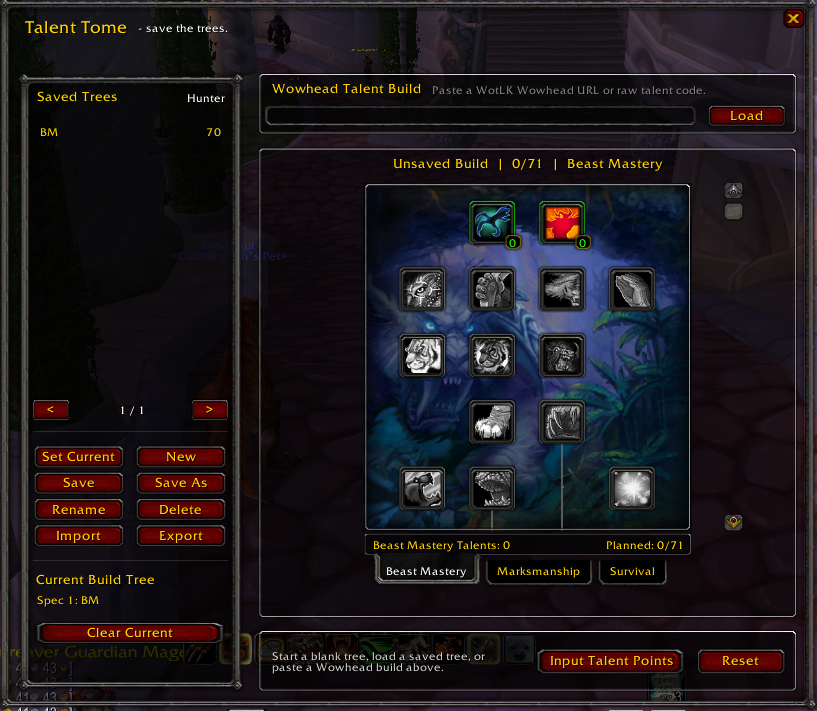
Talent Tome main window
Main Talent Tome window
Save

Keep named builds

Store multiple talent trees by class, rename them, use Save As for variants, and keep a separate Current Build Tree for each character and dual-spec slot.

Import

Paste a Wowhead build

Paste a Wrath Wowhead talent URL or raw build code into Talent Tome. The imported tree stays editable before you save it.

Apply

Input points safely

Input Talent Points attempts exactly one legal live talent point per physical click. Spam the button after a respec, or press it once when you earn a new point while leveling.

How it works

Built around the normal Wrath talent window

  1. Open Talent Tome. Use /tt, /talenttome, the minimap book, or the button added to Blizzard’s talent window.
  2. Create or load a tree. Build it manually, load a saved tree, or paste a Wowhead build.
  3. Save it. The most recently saved tree becomes the Current Build Tree for the active specialization, or use Set Current yourself.
  4. Input talent points. Press Input Talent Points once per point. Talent Tome never loops through every point from one click.
Important: Talent Tome never resets your live talents and never pays a trainer fee. Its Reset button clears only the planned tree inside Talent Tome.
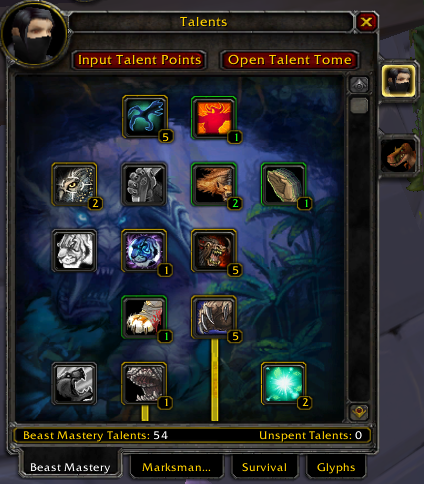
Blizzard talent window with Input Talent Points and Open Talent Tome buttons
Talent Tome adds two controls directly to the native Wrath talent frame.
Screenshots

Saved trees and imports

The screenshots are cropped directly from the in-game UI so the addon itself stays readable.
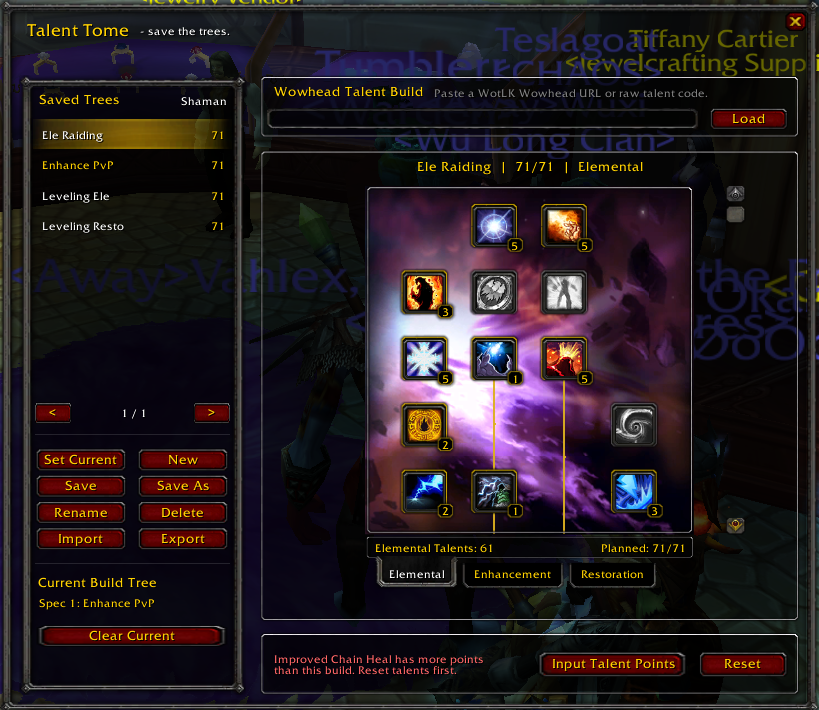
Talent Tome with several saved Shaman talent builds
Save multiple builds and set a persistent Current Build Tree.
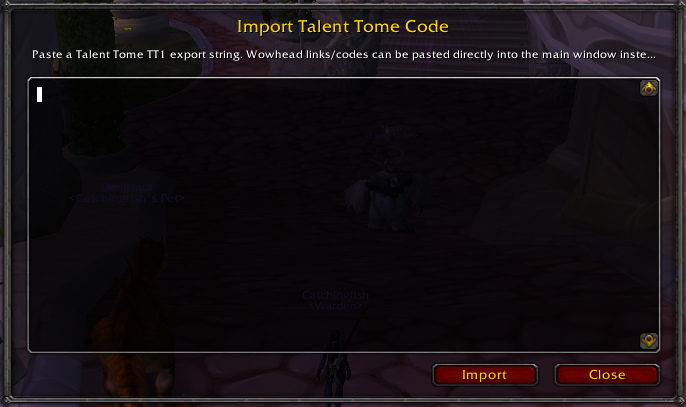
Talent Tome TT1 import window
Import Talent Tome TT1 strings. Wowhead URLs and codes can be pasted directly into the main window.
Commands

Slash commands

/tt/talenttome/ttome/talenttome new/talenttome current/talenttome minimap/talenttome minimap show/talenttome minimap hide/talenttome minimap reset/talenttome debug/talenttome help
Installation

Install Talent Tome

  1. Download TalentTome-v1.1.3.zip.
  2. Extract the TalentTome folder into World of Warcraft\Interface\AddOns\.
  3. If you already have Talent Tome installed, replace the old TalentTome folder. Your SavedVariables are not stored inside the addon folder.
  4. Start or restart WoW and enable Talent Tome from the AddOns screen.
  5. Type /tt or click the minimap book.
Copied